Edit Address Binding
Where You Can Find the Dialog Box
From the system tree, expand your BACnet device. From the Network Security Objects folder, select an object. In the Property Name column, double-click last-key-server.
What You Can Do with the Dialog Box
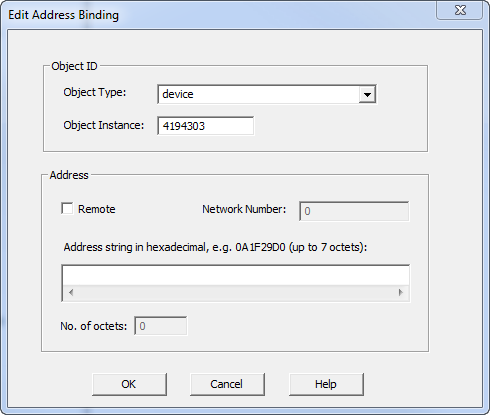
The Edit Address Binding dialog box allows you to specify the object ID and address of the Key Server that will update a security key in the device.
|
Field/Button |
Description |
|
Object Type |
Click the drop-down arrow to select an object type. |
|
Object Instance |
Displays the object instance number. |
|
Remote |
Click this checkbox if the object resides on a different network. |
|
Network Number |
When Remote is enabled, displays the network number. |
|
Address string in hexadecimal |
Enter a hexadecimal address string for the remote network. |
|
No. of octets |
Displays the number of octets in the address string. |
|
OK |
Saves the information and exits the dialog box. |
|
Cancel |
Cancels the function and exits the dialog box. |
