Edit Network Access Security Policies
Where You Can Find the Dialog Box
From the system tree, expand your BACnet device. From the Network Security Objects folder, select an object. In the Property Name column, double-click network-access-security-policies.
What you can do with the Dialog Box
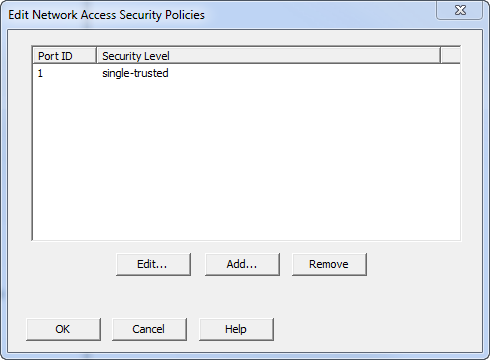
The Edit Network Access Security Policies dialog box allows you to edit, add, or remove an associated network access security policy.
|
Field/Button |
Description |
|
Port ID |
Displays port ID of the associated network. |
|
Security Level |
Displays the type of security level associated with the network policy. |
|
Edit |
Allows you to edit the highlighted network and select a new port ID and security level. |
|
Add |
Allows you to associate a new network access policy. |
|
Remove |
Allows you to remove the highlighted network. |
|
OK |
Saves the information and exits the dialog box. |
|
Cancel |
Cancels the function and exits the dialog box. |
