Edit Octet String
Where You Can Find the Dialog Box
From the system tree, expand your BACnet device. From the Octetstring Values folder, select an object. In the Property Name column, double-click present-value or relinquish-default.
What you can do with the Dialog Box
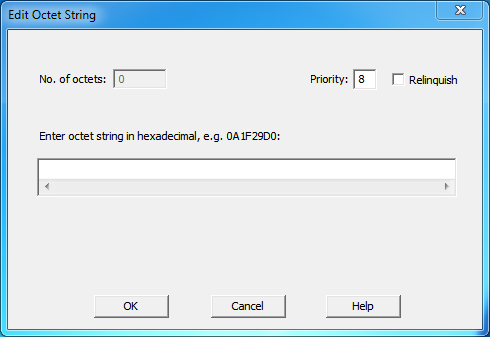
The Edit Octet String dialog box allows you to set the priority for the octet string, and enter or modify the octet string.
|
Field/Button |
Description |
|
No. of octets |
Not editable. Displays the number of octets in the string. |
|
Priority |
Allows you to enter one of the 16 BACnet priorities. |
|
Relinquish |
Checking this box allows you to give up control at the current priority. |
|
Enter octet string in hexadecimal |
Allows you to enter the octet string in hexadecimal format. |
|
OK |
Confirms your modifications and exits the dialog box. |
|
Cancel |
Cancels the modifications and exits the dialog box. |
