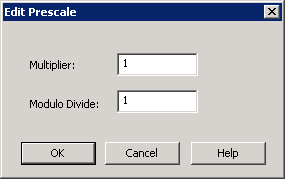
Edit Prescale
Where You Can Find the Dialog Box
From the system tree, expand your BACnet device. From the Accumulator folder, select an object. In the Property Name column, double-click prescale.
What you can do with the Dialog Box
The Edit Prescale dialog box allows you to edit Accumulator Prescale values.
|
Field/Button |
Description |
|
Multiplier |
Allows you to change the multiplier. |
|
Modulo Divide |
Allows you to change the modulo divide. |
|
OK |
Confirms your modifications and exits the dialog box. |
|
Cancel |
Cancels the function and exits the dialog box. |
