BBMD Configuration
Where You Can Find the Dialog Box
From the system tree, select your BACnet device, and then from the Services menu, select BBMD Configuration.
What you can do with the Dialog Box
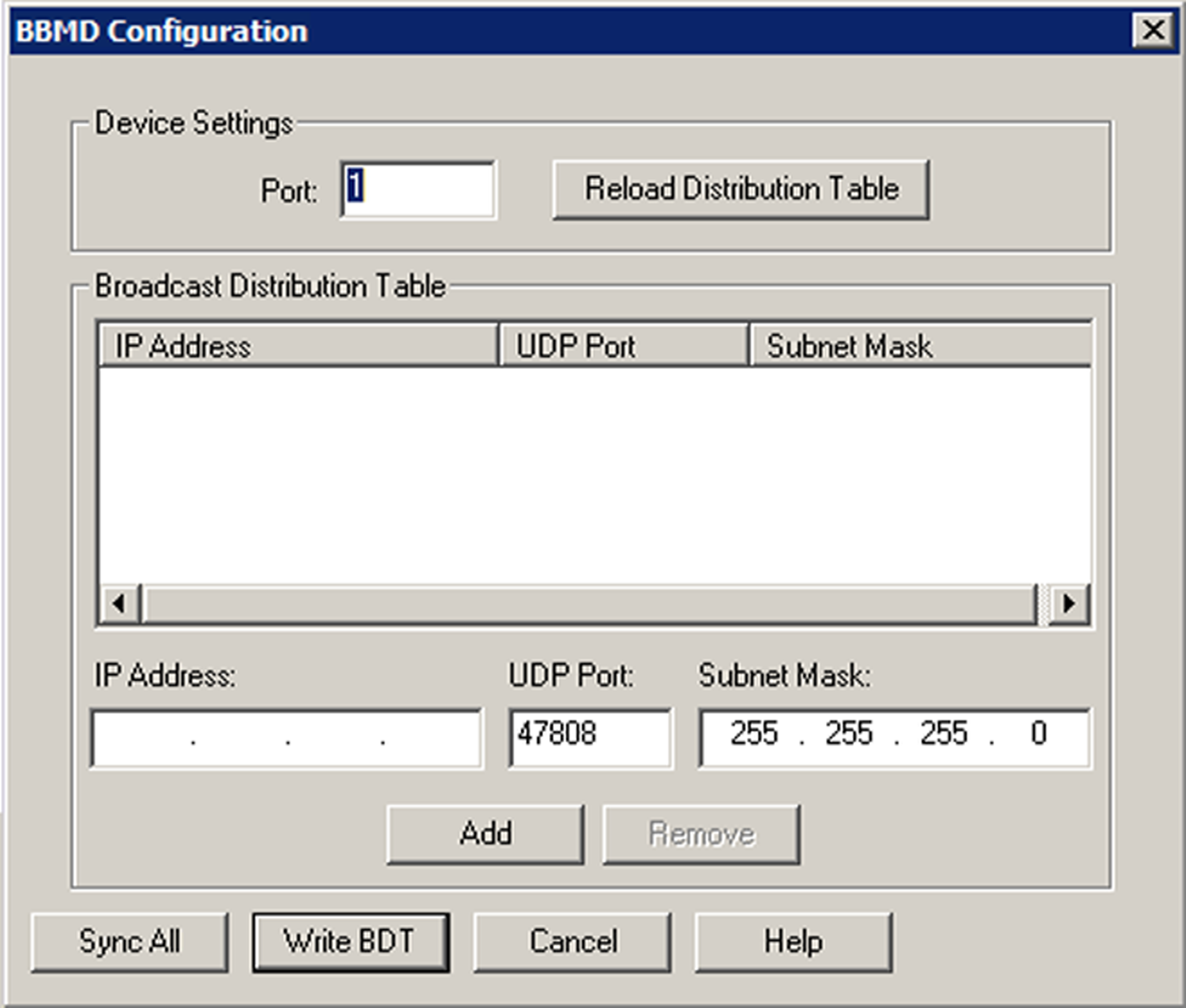
The BBMD Configuration dialog box allows you to send the Broadcast Distribution Table to one or more devices.
|
Field/Button |
Description |
|
Port |
Enter the BACstac port number for the device. Normally, the number is 1. |
|
Reload Distribution Table |
Click this button to reload the Broadcast Distribution Table. |
|
IP Address |
Enter the IP Address for a device on the network that you want to add to the BBMD table. Adding an entry with the same IP address will overwrite any existing address with that IP Address. Double-clicking on an item in the list will populate the IP Address, UDP Port, and Subnet Mask so that entry can be edited. |
|
UDP |
Accept the default UDP number, 47808. |
|
Subnet Mask |
The Subnet Mask should match the mask setup for your network segment. You can use ipconfig / all at the command prompt to retrieve this information. The Subnet Mask is usually 255.255.255.0. |
|
Sync All |
Click this to synchronize the table with each device in the table. |
|
Write BDT |
Click this to send the IP address and broadcast distribution method of this BBMD to all of its peers on the network. |
|
OK |
Click this to synchronize the table with the local device and exit the dialog box. |
|
Cancel |
Cancels the function and exits the dialog box. |
