Operating Multiple Objects
Multiple objects can be commanded or engineered using multi-select.
To select a number of non-adjacent objects:
- Select the first object using the mouse.
- Press the CTRL key and hold it.
- Select all other desired objects using the mouse.
To select a range of adjacent objects:
- Select the beginning of your range of objects using the mouse.
- Press the SHIFT key and hold it.
- Select the end of your range of objects using the mouse.
Information

NOTE:
Limitations for selected objects are 250 items for commanding.
Commanding Multiple Objects in the Operation Tab
- The objects must be of the same object type, such as analog input. If different object types are selected, in the Operation tab, the message
No properties (different properties)displays.
- In System Browser, select Management View.
- Select the objects you want to change.
- In the Operation tab, select the properties that you want to command.
- If the properties have different values, they are displayed with an asterisk (*) but can be commanded.
- (Optional) Click the icon to display detailed information about the selected data points.
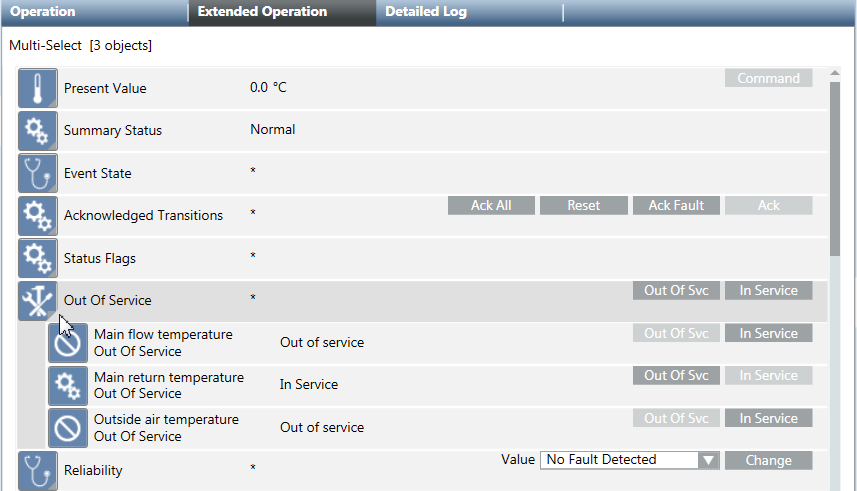
- Do one of the following:
- Change the value and click Send or Change.
- Click a command button to execute the respective function.
- Only objects properties that have been changed will be logged in the Activity Log database.
