Add an Assigned Landing Call
Where You Can Find the Dialog Box
From the Edit Assigned Landing Call List dialog box, select an object from the list and click Add.
What You Can Do with the Dialog Box
The Edit Assigned Landing Call dialog box allows you to add a landing call.
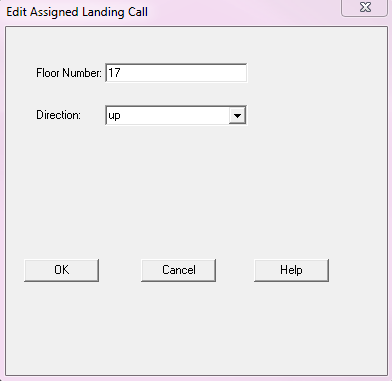
Field/Button | Description |
Floor Number | The requested floor. |
Direction | The direction the lift travels. |
OK | Confirms your modifications and exits the dialog box. |
Cancel | Cancels your modifications and exits the dialog box. |
