Macro Viewer
This section provides reference information about the Macro Viewer configuration.
For the related engineering procedures, see the step-by-step section. See also the reference section about operating the Macro Viewer.
Macro Viewer Engineering Overview
The Macro Viewer is an application for displaying and commanding selected control objects: system macros and control panel pseudo-points that are included in the dedicated MacroViewer Scope.

NOTE:
Special system configurations may include a different set of objects.
On Desigo CC stations configured with the appropriate Client Profile, the Macro Viewer displays (by default) at the bottom right hand side of the screen, next to the Node Map.
You can easily customize the Macro Viewer. If authorized, you can modify the scope to display a specific set of objects, and you can zoom in/out and filter the list of nodes by name (or part of the name).
Macro Viewer Configuration
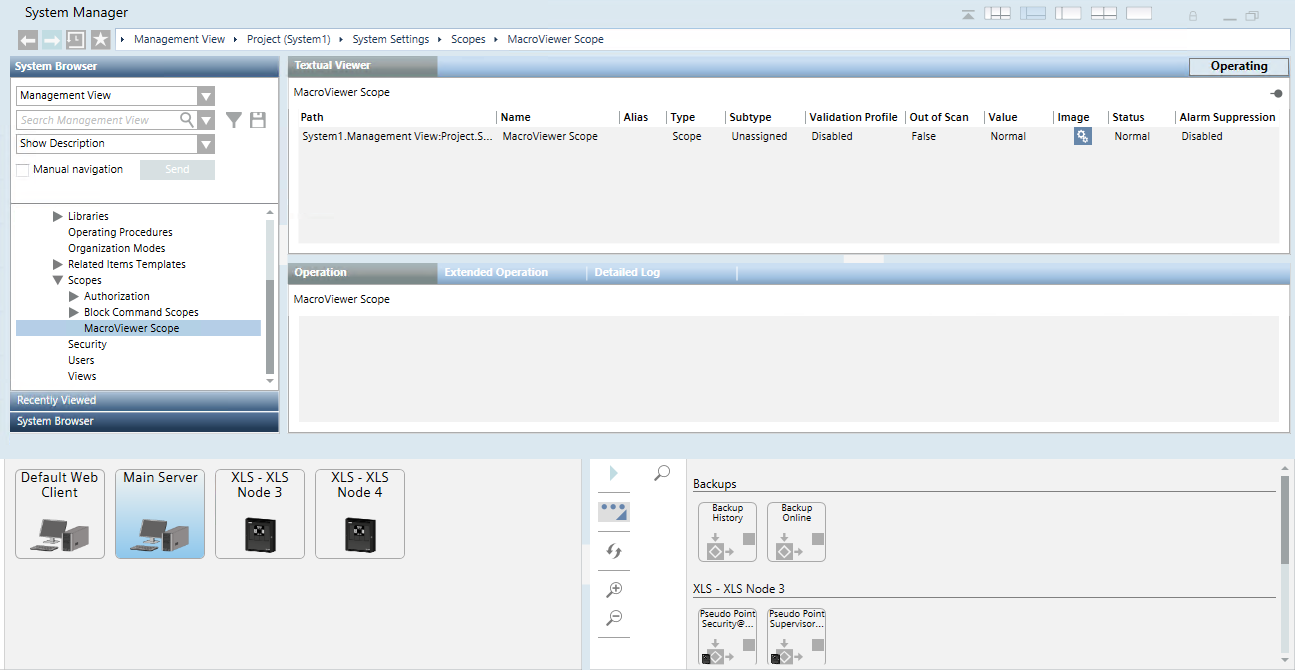
In Engineering mode, you configure the Macro Viewer in the System Settings > Scope section. In the MacroViewer scope, drag the objects to display in the Macro Viewer, typically system macros, from the Application View, Logics > Macros, and pseudo-points, from the control panel in Management View, Field Networks.